How to host an online movie night
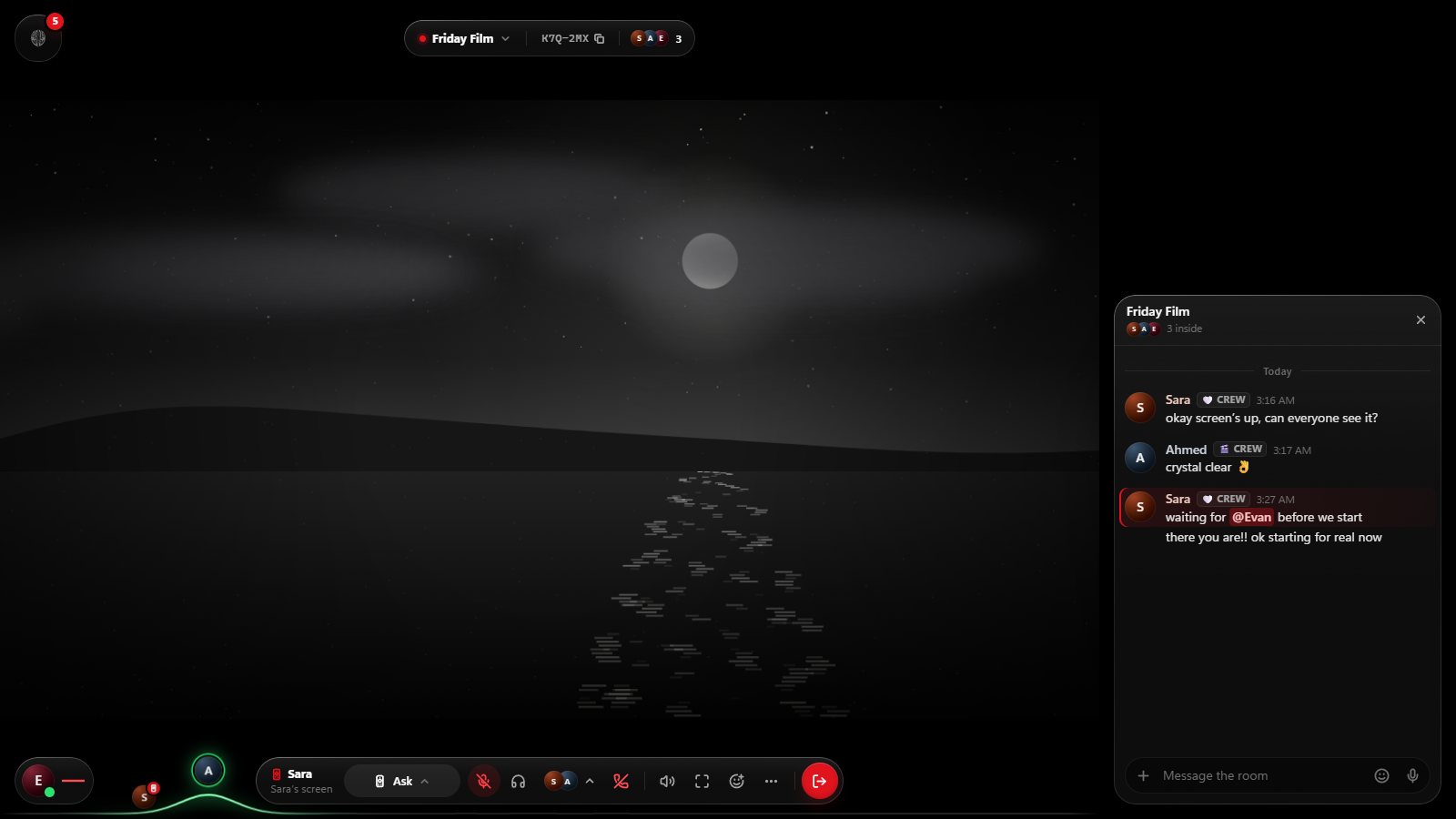
A movie night with friends in other cities doesn’t need much: a time, a film, and one screen you all watch while you talk. Walnut gives you the screen; the rest is a little planning.
Before the night
- Pick a time that works across time zones. Write it in each person’s local time in the invitation. It saves a lot of “wait, is it now?”.
- Pick the film, or a shortlist. Drop the trailers in your group chat and let people react.
- Check where the film comes from. That decides how you’ll watch it.
Where the film comes from
| The film is… | How to watch it in Walnut |
|---|---|
| On YouTube | Paste the link. Everyone’s player plays it in sync. |
| A direct video link (MP4, WebM, MOV, HLS) | Paste the link. It plays in sync too. |
| On a site without DRM | Open it on the room’s TV. Everyone sees the same picture, with ads blocked. |
| A file on your computer | Play it and share your screen. Walnut for Windows shares any window with its sound; Chrome and Edge share a tab with its sound. |
| On Netflix, Disney+ or another paid service | Each person plays it on their own account, and you press play together on a Walnut call. How that works. |
On the night, step by step
- Start a Walnut and give it a name. Choose who can get in: invite-only, anyone with the code, or your friends. Add a password if you like.
- Invite everyone from a chat, with the link or with the room’s code. Friends join in their browser, with nothing to install.
- Queue the trailers and then the film. The next video plays when the last one ends.
- Switch to cinema layout so the screen is as big as it gets, and join voice. Headphones stop the film’s sound reaching your microphone.
- Start the countdown so the film begins at the same moment for everyone.
- Pause for snacks whenever you like. Pause, seek or skip, and it happens for the whole room.
During the film
Talk as much or as little as your group likes. Reactions float over the screen, so you can laugh at the same joke without talking over the next line, and the room chat is there for the quiet ones. If someone’s connection drops, Walnut puts them back where the room is when they return, without pausing everyone else.
After the credits
Keep the room going. Put the director’s interview on, argue about the ending, pick next week’s film. A Walnut stays open for 24 hours after the last person leaves, so you can come back to the same room later that night.
Honest limits
- Streaming services that use DRM can’t go on the shared screen or in a screen share. The picture turns black.
- A screen share goes up to 1080p at 30 frames a second. A synced link usually looks better, since each person streams it at the quality their own connection allows.
- Everyone needs a free Walnut account to join, and a Walnut holds up to 16 people.
Questions
Can someone join after the film has started?
Yes. They join at the moment the room is at, in sync with everyone else.
Do we all need to be on computers?
No. Phones and tablets can watch and talk in the browser. Only sharing a screen needs a computer.
Is it free?
Yes. Walnut is free on the web and for Windows.
Live apart. Watch together.
Walnut is free in your browser at easywalnut.com, and for Windows. Make an account, start a Walnut, and send your friends the link.