A Kast alternative for watching together
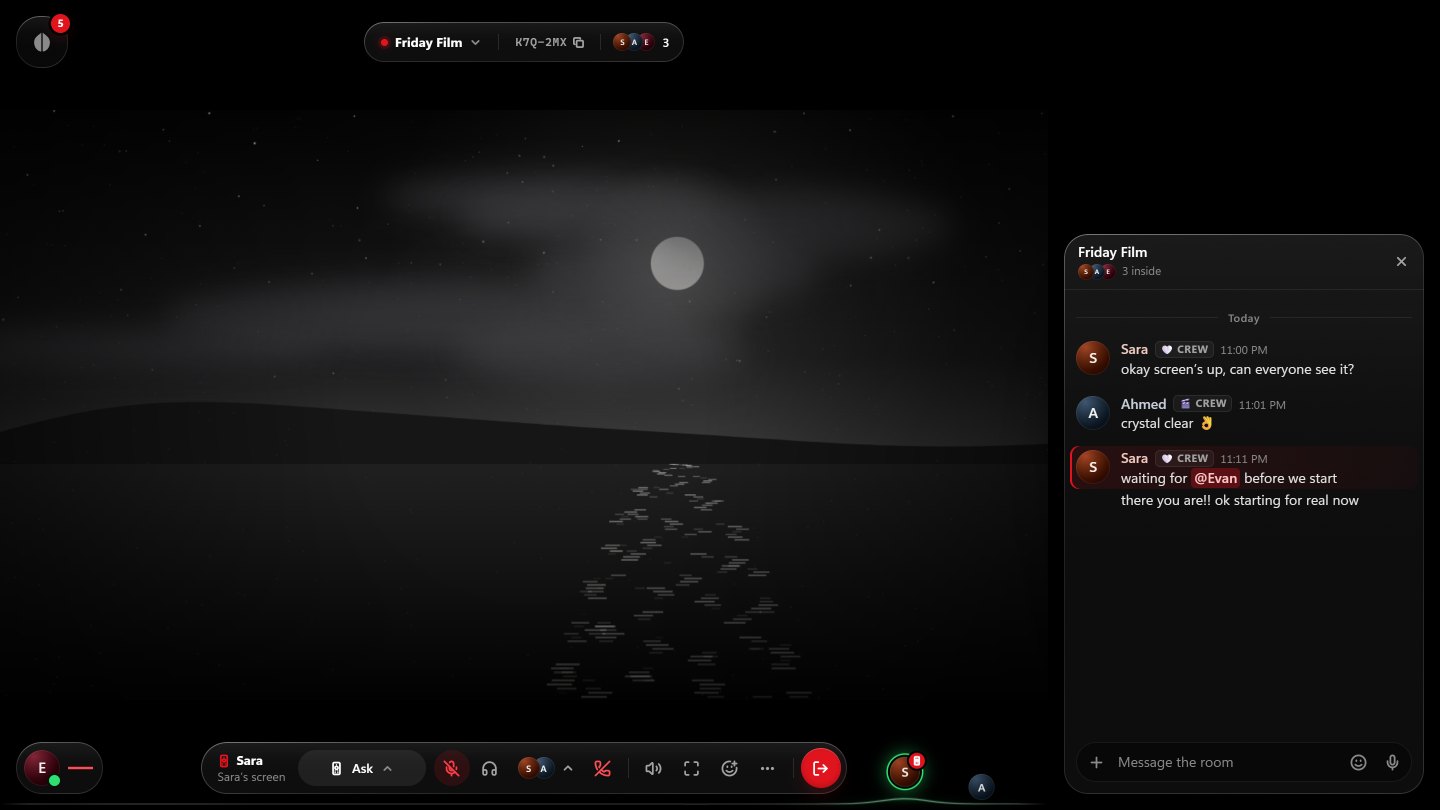
Kast has shut down, and with it a lot of groups’ regular watch nights. Walnut does the same core thing, a room where someone shares a screen and everyone talks over it, and adds a shared browser and synced videos. It runs in the browser, and nobody needs an account.
Free, in your browser. No account needed: just pick a name.
We make Walnut, so read this with that in mind. What we say about other products comes from their own sites and app store pages as of November 2026. Products change often; check their sites for the details today.
What Kast was for, and what Walnut does
Groups used Kast to watch something together while one person shared their screen, and to hang out on voice while they did. Kast has shut down. Walnut is built for the same evening.
| In Walnut | |
|---|---|
| Share a screen to the room | Yes: a screen, a window or a browser tab |
| Sound with the share | Chrome and Edge share a tab’s sound; Walnut for Windows shares any window’s sound |
| Voice chat | Built in, with noise suppression and echo cancellation |
| Text chat and reactions | Room chat, and emoji over the screen |
| Join without an account | Yes, with just a name |
| On a phone | Watch and talk in the browser; sharing needs a computer |
| Price | Free. Plus $4.99 a month |
Screen sharing in Walnut
Choose Share in a room and pick what to share. In Chrome and Edge you can share a tab with its sound. Walnut for Windows shares any screen or window with sound, leaves Walnut’s own sound out so the room doesn’t hear itself back, and keeps Walnut’s window out of a whole-screen share, so your messages never show. A friend can ask to take the remote and drive your share with their own mouse and keyboard, and you can take it back at once. Screen sharing in detail.
Two things Kast groups may not expect
A shared browser
You don’t always need someone’s screen. Press Start on the room’s TV and everyone shares one browser in the cloud, with ads and trackers blocked. Whoever holds the remote drives, and nobody’s computer has to stay on. Browsing together.
Videos in sync
For YouTube or a direct video link, paste it instead of sharing it. Every player in the room plays it at the same moment, each on its own connection, so it looks better than any screen share. Watching YouTube together.
Honest limits
- DRM services. Netflix, Disney+ and most paid services show black in any screen share or shared browser. What works instead.
- Phones can’t share. Phone browsers don’t allow screen sharing.
- No Mac app. On a Mac, share from Chrome or Edge in the browser.
- Room size. 16 people in a free room; rooms with a Walnut Plus member hold more.
- The shared browser on the free plan runs 45 minutes at a time at 720p, with a line when every TV is busy. Screen sharing and synced videos have no such limit.
Tips for a good screen share
- Share a tab or a window, not the whole screen, when you can. It keeps notifications and other windows out of the picture.
- Tick the box to share audio when Chrome or Edge asks, or the room will see the film and hear nothing.
- Wear headphones, so the film’s sound reaches the room through the share and not through your microphone as well.
- For YouTube, paste the link instead. Each person then streams it at full quality, rather than a copy of your screen.
Bring your group
- Open easywalnut.com and pick a name.
- Start a Walnut and post the link wherever your Kast group talks now.
- Join voice and press Share.
Looking at other options too? The best watch party apps, compared.
Questions
Is Kast still running?
No. Kast has shut down, as of November 2026.
Can Walnut share my screen with sound like Kast?
Yes. Chrome and Edge share a browser tab with its sound, and Walnut for Windows shares any screen or window with sound.
Is Walnut free?
Yes, with no account needed. Walnut Plus is $4.99 a month for more on the shared browser.
Can friends join from a phone?
Yes, in the phone’s browser, to watch and talk. Sharing needs a computer.
Pick a name, send the link, press play.
Walnut is free in your browser at easywalnut.com, with no account needed, and for Windows. Start a Walnut and send your friends the link.