A Rave alternative that works in your browser
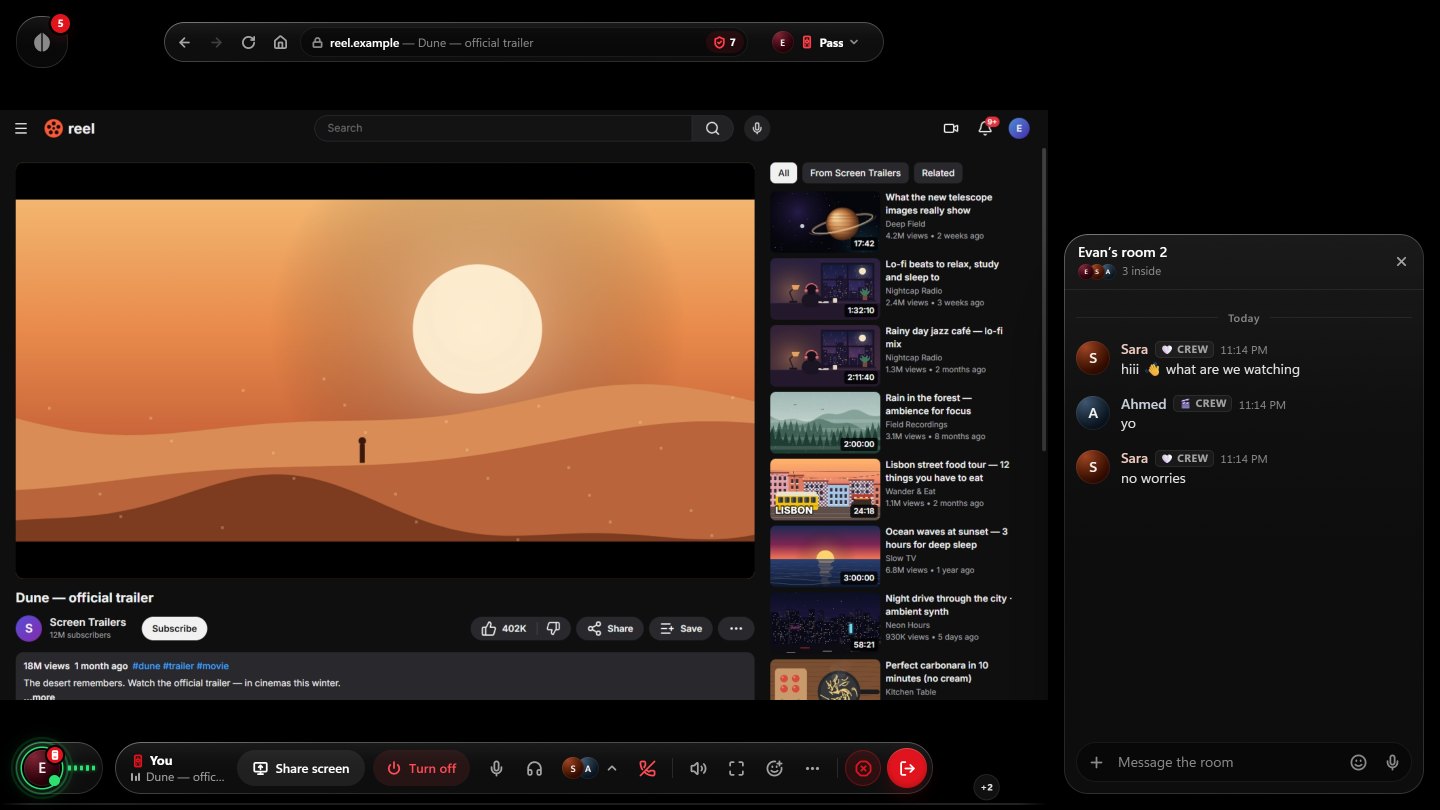
Rave isn’t on Apple’s App Store any more, which left a lot of iPhone users without their watch party app. Walnut needs no app store at all: it runs in the browser on your phone and your computer, and your friends join with just a name.
Free, in your browser. No account needed: just pick a name.
We make Walnut, so read this with that in mind. What we say about other products comes from their own sites and app store pages as of November 2026. Products change often; check their sites for the details today.
What happened to Rave
Rave was a popular watch party app, especially on phones. As of November 2026 it is no longer available on Apple’s App Store, so iPhone and iPad users can’t download it there. If your group used it to watch together, you need something else that everyone can get.
Why a browser app helps
Walnut doesn’t depend on an app store. It runs at easywalnut.com in Safari, Chrome, Edge and Firefox, on iPhone, Android and computers. Nothing to download, nothing that can be pulled from a store, and nothing to update by hand. Friends open your link, type a name, and they’re in.
What you can do in Walnut
- Watch YouTube in sync. Paste a link and every player in the room plays it at the same moment, each on its own connection. Watching YouTube together.
- Browse together. The room’s TV is a shared browser in the cloud, with ads blocked. Whoever holds the remote drives. Browsing together.
- Share a screen from a computer, with sound in Chrome, Edge and Walnut for Windows.
- Talk. Voice chat with noise suppression and echo cancellation, plus room chat and reactions over the screen.
On an iPhone or Android phone
| On a phone | On a computer | |
|---|---|---|
| Join from a link or code | Yes | Yes |
| Watch synced videos and the TV | Yes | Yes |
| Voice chat and room chat | Yes | Yes |
| Share your screen | No: phone browsers can’t | Yes |
The one real gap: a phone can’t share its own screen, because phone browsers don’t allow it. If someone in your group used to share their phone in Rave, they’ll need a computer for that in Walnut.
What Walnut doesn’t do
- Netflix and other DRM services. Shared browsers and screen shares show protected video as black, and Walnut doesn’t try to get around it. For those, each person plays from their own account, and you talk in a Walnut. What works for Netflix.
- A phone app. Walnut is a web app, plus an app for Windows. You can add easywalnut.com to your home screen from the browser’s share menu.
- Very big rooms on the free plan. A free Walnut holds 16 people; rooms with a Walnut Plus member hold more.
Tips for watching on a phone
- Turn it sideways. The room’s screen gets the whole width, with the chat a tap away.
- Use headphones. A phone’s speaker sits right next to its microphone; headphones keep your sound out of the call.
- Keep it on Wi-Fi. Synced videos stream on each person’s own connection, so a weak signal only affects you, but it still affects you.
- Add it to your home screen from the browser’s share menu, so Walnut opens like an app next time.
Other options
If Walnut isn’t right for your group, the best watch party apps, compared covers Watch2Gether, Teleparty, Hyperbeam, Kosmi and Discord, and what each needs.
Move your group over
- Open easywalnut.com on your phone or computer and pick a name.
- Start a Walnut and send the link to your old Rave group chat.
- Join voice, paste a YouTube link, and press play.
Questions
Is Rave still on the App Store?
No. As of November 2026 Rave isn’t available on Apple’s App Store, so it can’t be downloaded there on an iPhone or iPad.
Does Walnut work on iPhone?
Yes, in Safari or any browser on the phone: you can join rooms, watch the shared screen and synced videos, and talk on voice. There’s no Walnut app for iPhone, and a phone can’t share its screen.
Is Walnut free?
Yes, with no account needed. Walnut Plus adds more on the shared browser.
Can Walnut play Netflix like some watch party apps?
No. DRM services show black in any shared browser or screen share. What works for Netflix.
Pick a name, send the link, press play.
Walnut is free in your browser at easywalnut.com, with no account needed, and for Windows. Start a Walnut and send your friends the link.