Watch together online, with no sign-up
The fastest watch party is the one nobody has to register for. In Walnut you type a name, send a link, and your friends type a name too. No email address, no password, no extension, no app.
Free, in your browser. No account needed: just pick a name.
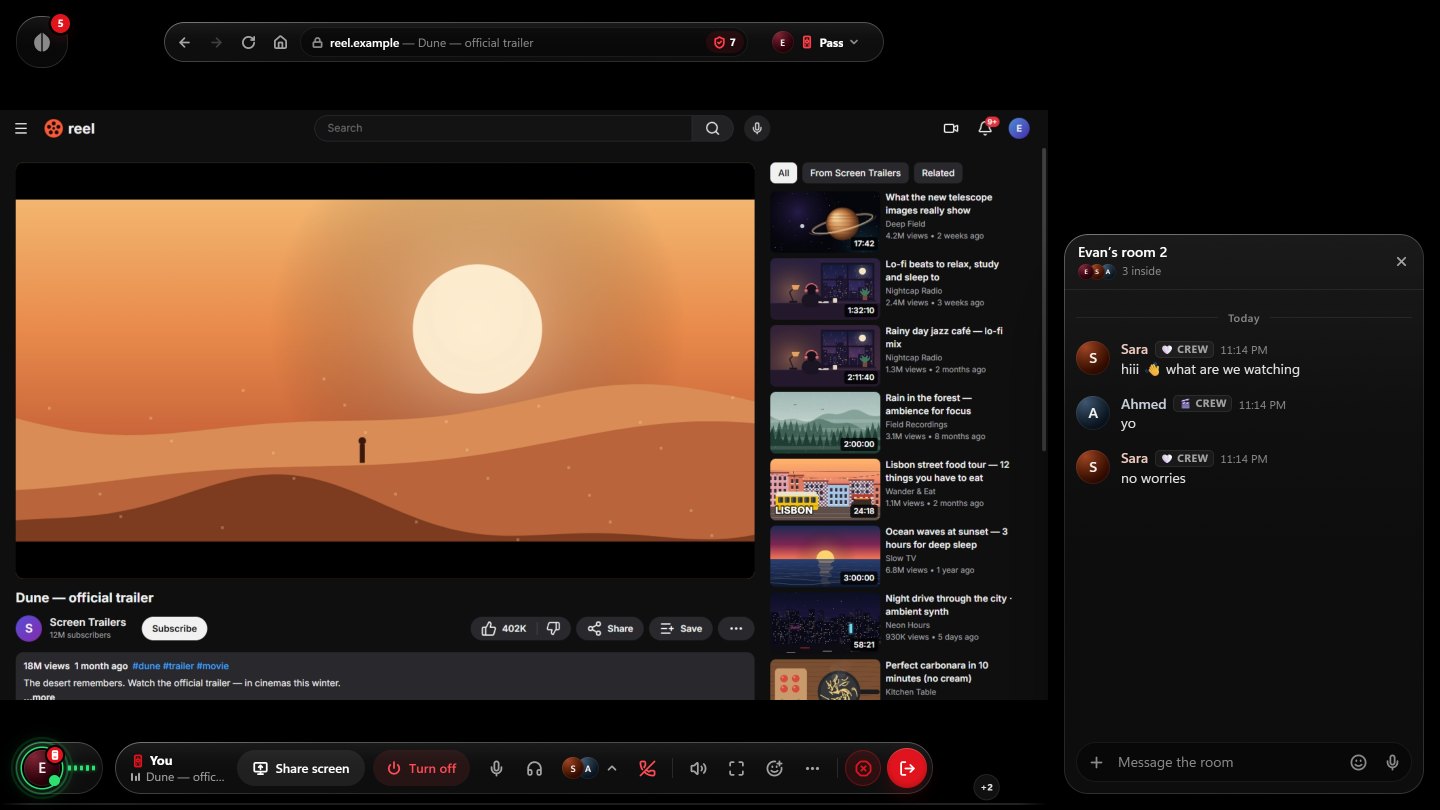
How it works
- Open easywalnut.com in any browser.
- Type a name that your friends will recognise, and press Start watching.
- Send the link from your room, or read out its code.
- Friends type a name too and they’re in, with nothing to install and no email address to give.
That’s the whole sign-up. The name shows next to your voice and your messages in the room, so pick one your friends will know.
What you get without an account
Everything you need for the night itself:
- A room for up to 16 people, joined from a link or a code.
- YouTube and video links in sync, with a queue and a countdown.
- The shared browser, the room’s TV, with ads and trackers blocked. On the free plan, sessions run up to 45 minutes at 720p.
- Screen sharing, with sound from Chrome, Edge or Walnut for Windows.
- Voice chat, room chat and reactions over the screen.
What an account adds
An account is for the things that last after the night is over. It’s free, and you can make one later from the same room.
| Just a name | Free account | |
|---|---|---|
| Start and join rooms | Yes | Yes |
| Synced videos, the TV, screen sharing, voice | Yes | Yes |
| Friends list | No | Yes |
| Direct messages and group chats | No | Yes |
| Invitations to your friends’ rooms | No | Yes |
| The same profile on every device | No | Yes |
| Walnut Plus | No | Yes |
Other ways to watch together without signing up
Walnut isn’t the only option that skips the sign-up, and it isn’t the only one worth knowing about.
- Watch2Gether also lets you make a room without an account, and is quick for syncing YouTube and other supported video sites. Its free version shows ads. Walnut and Watch2Gether.
- Sync extensions such as Teleparty need the extension in a computer browser, and everyone needs their own subscription to the streaming service. Walnut and Teleparty.
- Discord needs a Discord account for everyone in the voice channel. Walnut and Discord.
- Hyperbeam, another shared cloud browser, asks for an account. Walnut and Hyperbeam.
Joining from a phone
A friend who gets your link on their phone opens it in Safari, Chrome or whatever browser the phone uses, types a name and joins. They see the room’s screen, hear the call and can talk, type in the chat and send reactions. Turn the phone sideways for a bigger picture. The one thing a phone can’t do is share its own screen, because phone browsers don’t allow it; for that, someone needs a computer.
Why no sign-up matters
Every extra step loses someone. The friend on a work laptop who can’t install extensions, the cousin who won’t make another account, the person who opens the link on their phone five minutes after it started. With a name and a link, they’re in the room by the time the opening titles end.
It also means less of your friends’ information anywhere. Someone who joins with a name hasn’t handed over an email address. The privacy policy says what Walnut keeps and for how long.
Honest limits
- Without an account there are no friends or messages, so you send the room’s link yourself, in whatever app you already use.
- DRM streaming services like Netflix can’t be shown on the shared screen, with or without an account.
- Phones can watch and talk, but can’t share their screen.
Questions
Do I need an email address?
No. A name is enough to start a room or join one. You only give an email address if you choose to make an account.
Do my friends need to install anything?
No. They join in Chrome, Edge, Firefox or Safari, on a computer or a phone.
What does an account add?
Things that last between rooms: friends, direct messages and group chats, invitations, and your profile on every device. Walnut Plus also needs an account, since it’s a subscription.
Is it free?
Yes. Watching together with no account is the free plan. Pricing.
Can I keep my room?
A Walnut stays open for 24 hours after the last person leaves. A permanent custom link for your room comes with Walnut Plus.
Pick a name, send the link, press play.
Walnut is free in your browser at easywalnut.com, with no account needed, and for Windows. Start a Walnut and send your friends the link.